EmDeeTool › Guides › Preview AI-agent plans and reports
Preview AI-agent plans and reports on your Mac
Your coding agent just wrote a plan.md, a migration report, or a
research summary. In a text editor it's raw markup; in a browser preview it leaves your machine.
Here's how to read it beautifully rendered, on your Mac, in a second.
What agents hand you — and why it's awkward to read
Modern coding agents narrate their work in Markdown: a step-by-step plan before they start, a
summary of what changed after, tables comparing options, code snippets, and often math or
diagrams. It's the right format for the agent — plain text, versionable, structured — but reading
a dense plan.md as raw source means parsing headings, pipe tables and fenced blocks in
your head.
Preview it in one keystroke
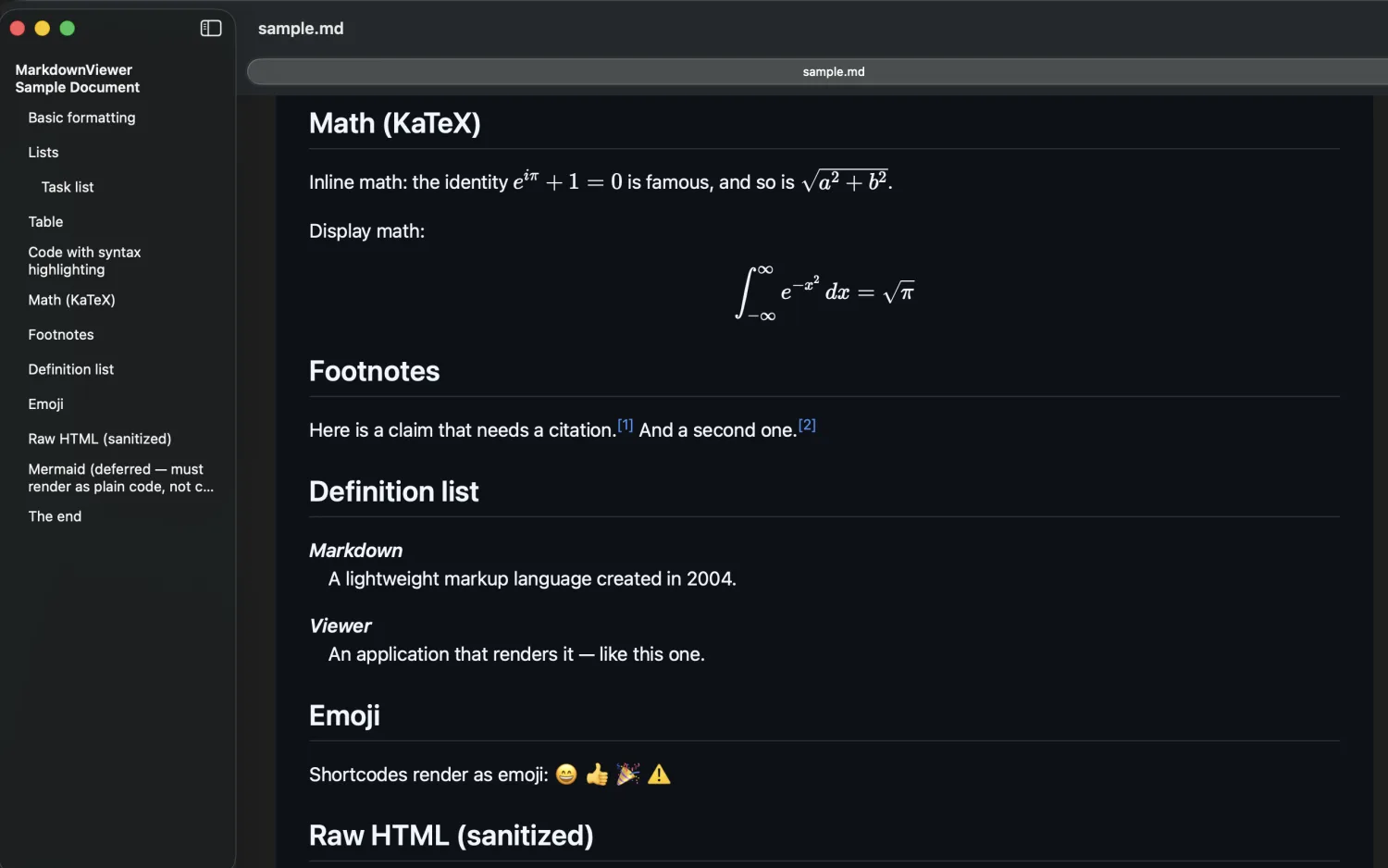
Install EmDeeTool, then select the file in Finder and press Space. Quick Look renders the full document — headings, task lists, tables, syntax-highlighted code, footnotes and KaTeX math — using the same engine as the app. Close it with Space again. No IDE, no browser, no waiting.
Read long plans without losing the thread
- Table-of-contents sidebar — jump between the sections of a long plan or report.
- Find — locate a filename, symbol or decision inside a big document.
- Live reload — leave the report open while the agent regenerates it; the view refreshes on save.
- Light & dark — matches your system, so it sits comfortably beside your terminal.
Workflow tip: point your agent at a fixed path like ./plan.md and
keep that file open in EmDeeTool. Every time the agent revises the plan, you get a live, readable
render of its current thinking — no copy-pasting into a previewer.
Preview every agent report instantly
Free on the Mac App Store · fully offline · Quick Look built in.
FAQ
Why do AI agents write plans and reports as Markdown?
Markdown is plain text, diff-friendly and structured, so it's the natural output format for coding agents. Plans, task breakdowns, changelogs and research summaries render cleanly on GitHub and in any Markdown viewer.
How do I read a plan.md without a full editor?
Press the Space bar on the file in Finder for an instant Quick Look preview, or open it in EmDeeTool — a rendered document with headings, tables, code and math, no IDE required.
Does it render Mermaid diagrams and math?
It renders KaTeX math (inline and display) and syntax-highlighted code for every language. Mermaid diagram blocks are shown as their code, so nothing is hidden.